_2d2230.png)
_5a42ce.png)

al-yeti
Trade Full Member
-
Joined
-
Last visited
Everything posted by al-yeti
-
Has wireless zones, beds batteries changed all of them and full test
-
Never liked auto disarm , auto set is good tho
-
This is top answer , tx very rarely fail on alarm panels , the texe psu failed more often , unless that's fixed now ....
-
Eh? Competent person can't rewire his own house? Where u get that dude ?
-
Some get confused between having a fire alarm installed and a buildings fire consultation report if that's what it's called , I tell them , it's not the fire engineer who would do this as far as I know
-
Do you guys use third party fire consultants? Or you leave that to the architects etc or in-house
-
I was reading this earlier Nothing will happen to you until something goes wrong........
-
Echo
-
How much? Did listing say it's locked?
-
Lol Texe hurts my head
-
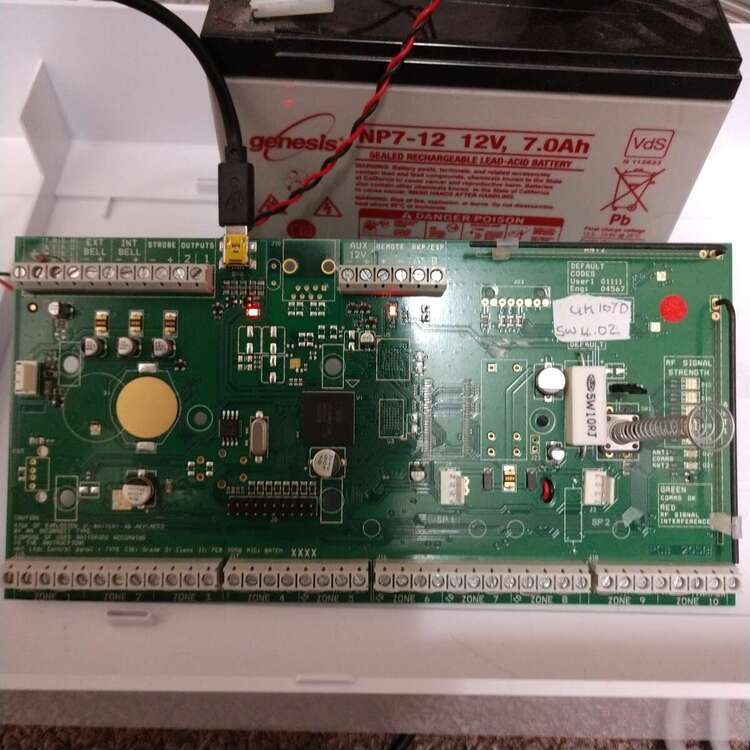
Incase anyone interested here's am old board , carried very early software , sent to factory (£6 so was kind of worth it) upgraded to a 1070, minor differences in PCB
-
Does the galaxy have a silent pa setting?
-
Thanks Logan , will make possibly a good bench panel , it upgraded to v4.2 no bother , looking at case it's new so I am convinced someone out there who doesn't have software has swapped it on install and kept the new board
-
Yes replace it
-
Bell jumpers ?
-
Exorcism due for you
-
You do have "striaght" wall.paper in Brighton yeah? Nah man far from it lol
-
Odd you say that I still have rolls.of.paper for repairs
-
£86 you can get new controls for that , maybe even hybrid scanny ion40 better than abacus But it just don't add up sometimes
-
Virgin have been emailing some of my.customers about a constant threat and to switch in websafe Told them gnore it or you will get.problems with hkc app or CCTV
-
Disable safesearch or whatever it is called on virgin and see if it makes a difference , router option I believe Forget the name Disable safesearch or whatever it is called on virgin and see if it makes a difference , router option I believe Forget the name Might be called websafe
-
You try it on an android or other device?
-
I send you a label
-
Unlikely, PCB swap maybe because they couldn't update the firmware There were some real old.boards that had the old software , and maybe this is one of them , boards same size so they definitely swapped it as case is not for this PCB if you get me I take for free
-
Old PCB in new cover ? Probably upgraded the PCB to a 1070 at some point as this one may have a fault or something else