


_2d2230.png)
_5a42ce.png)


james.wilson
Admin
-
Joined
-
Last visited
Everything posted by james.wilson
-
nothing either way I wouldn't try them. Consumer devices are that. Id rather use a pro internal device outside
-
supposed to be 3 yrs but id replace at 2
-
if internal doors then id say non issue
-
agreed active beams are best outside or takex sensors but I wanted to test them in a very harsh environment
-
yeah due to sunlight straight into one of them
-
I have sensors around my house too, I do like to have them. Im using HKC wireless PIR Cams with pet lenses in. I do get the odd false alarm but as i can take a picture via the app i dont worry. However these are internal devices i fitted them externally to test.
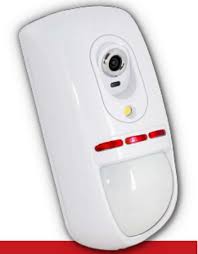
-
CQR Trapper Viper GLX
-
the keypad isn't communicating with the panel
-
I've used the takex but not wireless i hear good things about the tower i must admit
-
You have a huge choice of vibe detectors as its wired. A few years ago id say cqr trapper it was easy to setup correctly. Now id go back to the viper
-
it does look a bit carp, but the op was looking for a quality product.
-
-
wired?
-
-
-
wonderex iirc ex35 still available i think
-
This is why many go for the bodge rather than the ideal
-
that's the reason they get bought. cheap Just think your wanting a movement sensor to ignore movement. so called pet sensors are cheaper than doing it right. Most pros will say perimeter imo Plastic will need more vibes as it absorbs shock
-
ph might make sense, I'm poor on model number knowledge.
-
vibe x2 on the patio with a combined. Big window I dunno, is it a bay, plastic etc?
-
I know what your saying pete but is still maintain perimeter protection is better.
-
my advice would be perimeter protection. Plenty of vibration detectors, depending on window /door type. pet sensors are a bodge designed to save money over having to use perimiter.
-
don't use sd or ssd it will die quite quickly
-
is that an anti tamper idea or just a designer forgetting about ceilings on a wall mount?
-
mate I'm assuming some will like that

