


_2d2230.png)
_5a42ce.png)


james.wilson
Admin
-
Joined
-
Last visited
Everything posted by james.wilson
-
-
I doubt thats displayed on an sd1? the sd1 is a speech dialler not a panel/keypad
-
never put one on anything but a dimension sorry
- 6 replies
-
- galaxy
- g2
- touchcenter
- touchcentre
-
Tagged with:
-
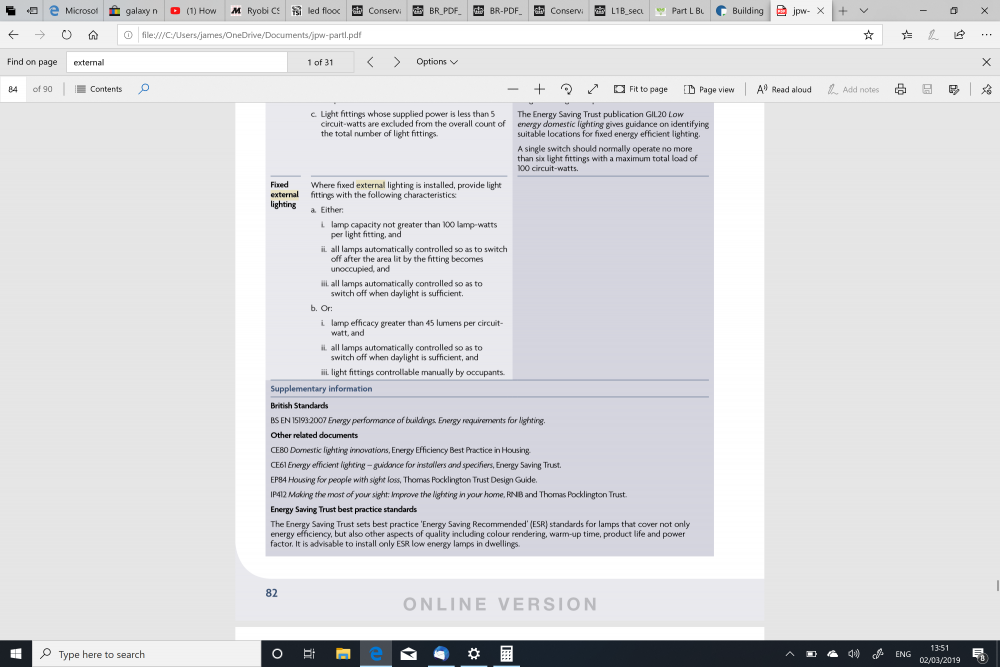
ah missed the link on the phonewhat equipment is itno one probably but thought id check for customer info too. no that reg is for existing dwellings 1a is for new build as far as I can seev 4.00 - 4.36 sw version? have you tried restarting it from engineers?its something to do with Part L http://www.lllwww.co.uk/building_reg.html but this may only be new builds? reading this I assume if the fitting exceeds 45 lumens per watt there is no limit? (table 42 page 81 of attachment) my fitting is 17000 lumens at 150 watt on the front jpw-partl.pdf
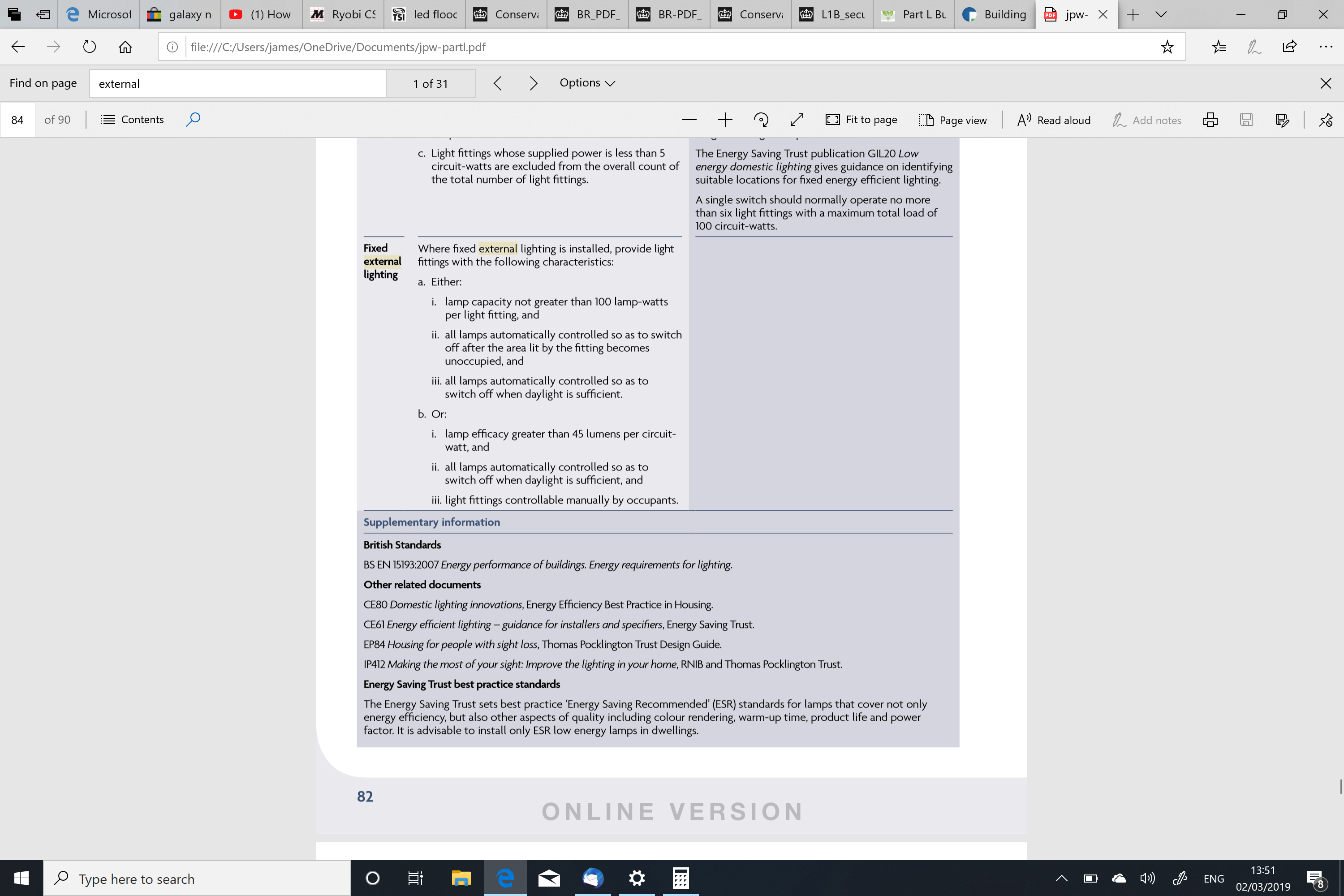
 sensor activated with manual override so security and convenience.i believe there is a 150watt limit on flood lights? is this domestic only or does it apply to commercial too. Only asking as i want to fit a couple of 200 watt ones in the back garden.top post ggmiss those videos on smoking floors etcWe'll that's ok then..if its a valid address i doubt it. Is the data doubled up seen that a lot with euro takeovers?i really wouldn't waste any time on it.i use the hkc but also have it monitored. Push is great for notification someone us on the drive etc but i use monitoring for the important bitswhile i think the op is working for hik marketing in some way as h hasn't noticed ill ignore it. i like app stuff i want to see it extended into our world not left to diy nest stuff etcthere will be an internal tamperyou dont need the engineer code to change the battery. you ought to check the charger circuit etc if it hasnt been serviced correctlywhen was it last serviced? But i bet it's the oldest bit of daily used tech in the house?


Important Information
By using this site, you agree to our Terms of Use.